
in-STEP BLUE5.0 - Download
You'll be able to download in few seconds.
Publisher Description
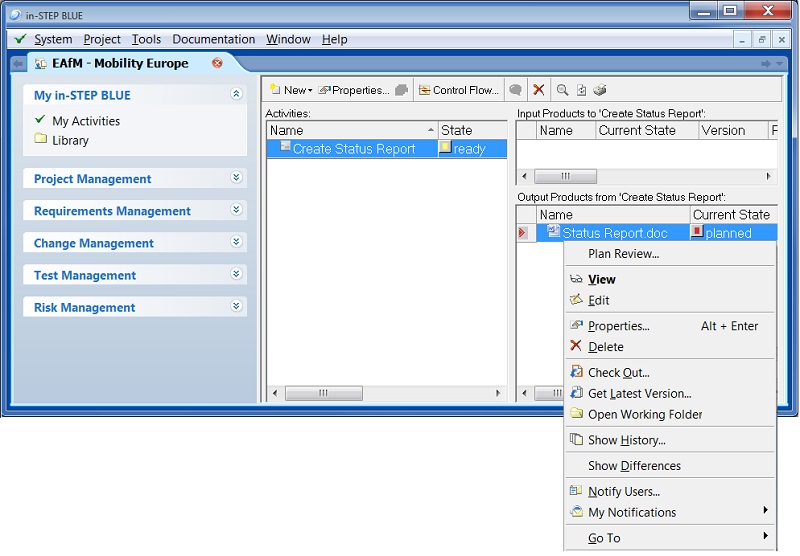
in-STEP BLUE is a tool for IT project management. It is designed to assist project managers in planning and setting up projects, assigning resources to tasks, tracking progress, managing budgets, requirements, changes and risks as well as analyzing workloads. All team members collaborate via LAN or internet. The tool automatically stores all project results in a central repository shared by all users. Integrated revision control ensures configuration management. Requirements and changes can be edited, specified and prioritized. Tasks are created from requirements. Requirements are traceable through the entire life cycle. Features for test management and quality assurance are available. Special views and individual reports help project managers to assign resources to tasks even in a multi-project environment. in-STEP BLUE supports the improvement of process maturity according to CMMI or SPICE. It offers templates for project planning and documentation. Individual project management methods can be supported as well as the agile method Scrum, the British project management method PRINCE2, the German V-Modell XT, the Swiss HERMES method and methods for the automotive industry according to ISO/IEC 15504, also known as Automotive SPICE.
About in-STEP BLUE
This Project Management program is available in English, German. It was last updated on 29 September, 2026. in-STEP BLUE is compatible with the following operating systems: Other, Windows.
The company that develops in-STEP BLUE is microTOOL GmbH. The latest version released by its developer is 5.0.
The download we have available for in-STEP BLUE has a file size of N/A. Just click the green Download button above to start the downloading process. The program is listed on our website since 2015-04-22 and was downloaded 0 times. We have already checked if the download link is safe, however for your own protection we recommend that you scan the downloaded software with your antivirus. Your antivirus may detect the in-STEP BLUE as malware if the download link is broken.
How to install in-STEP BLUE on your Windows device:
- Click on the Download button on our website. This will start the download from the website of the developer.
- Once the in-STEP BLUE is downloaded click on it to start the setup process (assuming you are on a desktop computer).
- When the installation is finished you should be able to see and run the program.
Program Details
System requirements
Download information
Pricing
Version History
version 5.0
posted on 2015-04-22
MSI Installation, verbesserte Usability, moderne Oberfläche, verbessertes Ressourcenmanagement und Windows Office Integration
version 4.11
posted on 2014-01-14
Advanced resource planning and scheduling
Disclaimer
External Download
We do not host in-STEP BLUE on our servers. We did not scan it for viruses, adware, spyware or other type of malware. This app is hosted by the software publisher and passed their terms and conditions to be listed there. We recommend caution when installing it.
The external download link for in-STEP BLUE is provided to you by apps112.com without any warranties, representations or guarantees of any kind, so access it at your own risk.
If you have questions regarding this particular app contact the publisher directly. For questions about the functionalities of apps112.com contact us.
